---
title: "Hacking Detection"
description: "Monitor and analyze previous hacking activities and security threats to your mobile applications."
---
> For the complete documentation index, see [llms.txt](/llms.txt).
Hacking Detection allows you to monitor security threats and hacking activities detected on your app. The DoveRunner Mobile App Security dashboard provides an at-a-glance security overview — including which threat types are most prevalent, how many attempts have been made, what tools or devices attackers are using, and where threat traffic is concentrated geographically. You can also track the specific device IDs associated with hacking attempts.
To view Hacking Detections (console) :
1. Open the DoveRunner console at [https://console.doverunner.com](https://console.doverunner.com)
2. Login with DoveRunner Mobile App Security account credentials
3. In the navigation pane, choose '**Hacking Detection**'
**Contents**
- **[Metrics](#metrics)**
- **[Monitoring](#monitoring)**
- **[Threats Detected](#threats-detected)**
- **[Threats Types](#threat-types)**
- **[Monthly Hacking Information](#monthly-hacking-information)**
- **[Hacking Attempts](#hacking-attempts)**
- **[Hacking Types](#hacking-types)**
- **[Hacking Detections Overview](#hacking-detections-overview)**
- **[Hacking Attempts By Device Information](#hacking-attempts-by-device-information)**
- **[Hacking Attempts By Map Overlay](#hacking-attempts-by-map-overlay)**
- **[Hacking Attempts By Country List](#hacking-attempts-by-country-list)**
## Metrics
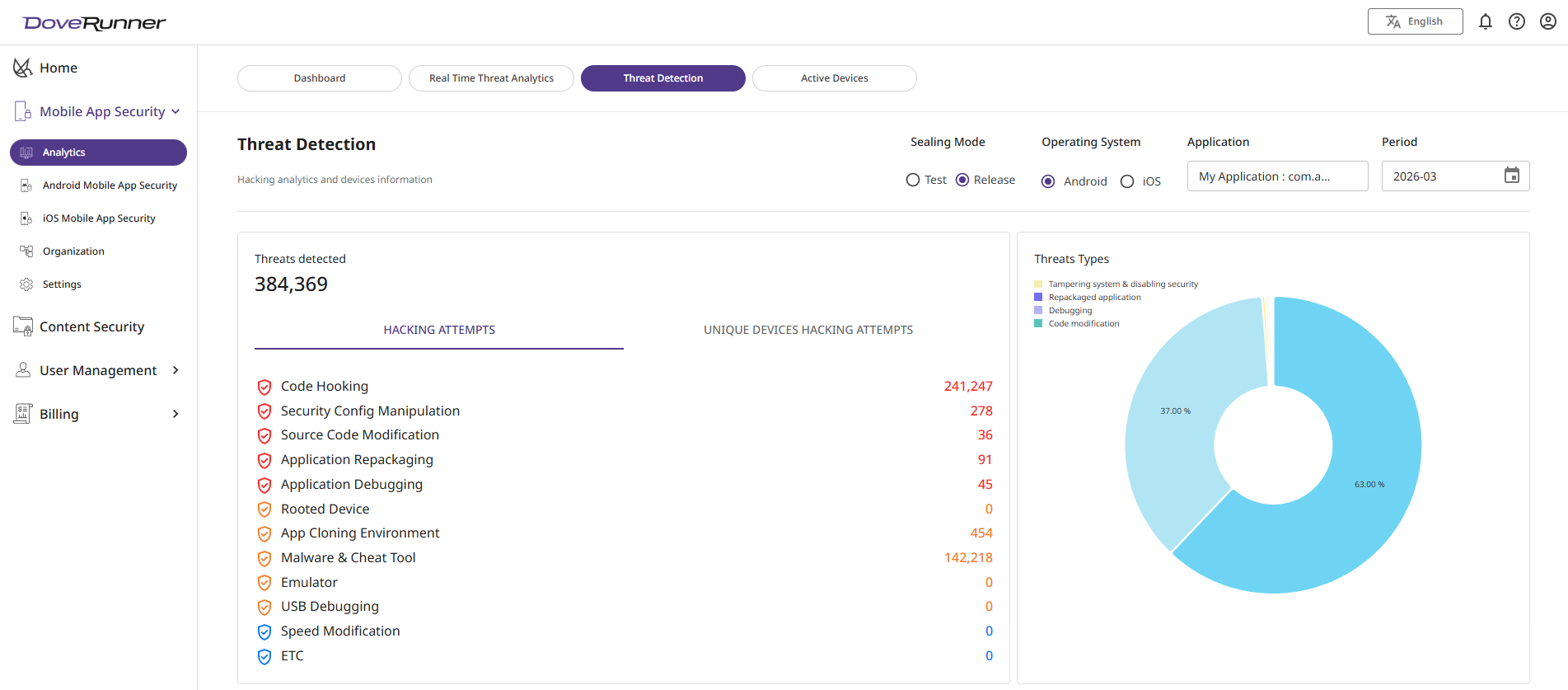
Hacking Detection shows month-wise information about the Application selected by user. It provides you with the option to set filters on the metrics where you can opt for Operating System (default selected as Android) and Sealing Mode (app mode selected while sealing application)

| Metric | Description |
| :--- | :--- |
| Sealing Mode | `Test` - Test mode provides the same level of security, however a periodic 'Test mode' message is displayed on application
`Release` - Release mode removes periodic message of 'Test mode', along with additional features like real time streaming, signing APK's, etc.|
| Operating System | OS Platform for which the application is sealed
`Android` - Platform used to seal the Native or Hybrid Android apps using Console or CLI tool
`iOS` - Platform used to seal the Native or Hybrid iOS apps using SDK tool |
| Application | Application for which metrics need to be shown, this list will be populated depending on Operating System selected |
| Period | The month selector for which data needs to shown |
## Monitoring
Hacking Detection contains overall hacking analytics for your application, that includes Threat Analytics, Monthly Hacking Information, Geographical distributions, Hacking Types and many more. Information is shown in tiles and each tile provides needful security information
### Threats Detected
With our in-product threat intelligence solution from DoveRunner Mobile App Security engine we detect every possible threats for your application. In Hacking it is designed to assist security teams to be efficient for managing emerging threats.
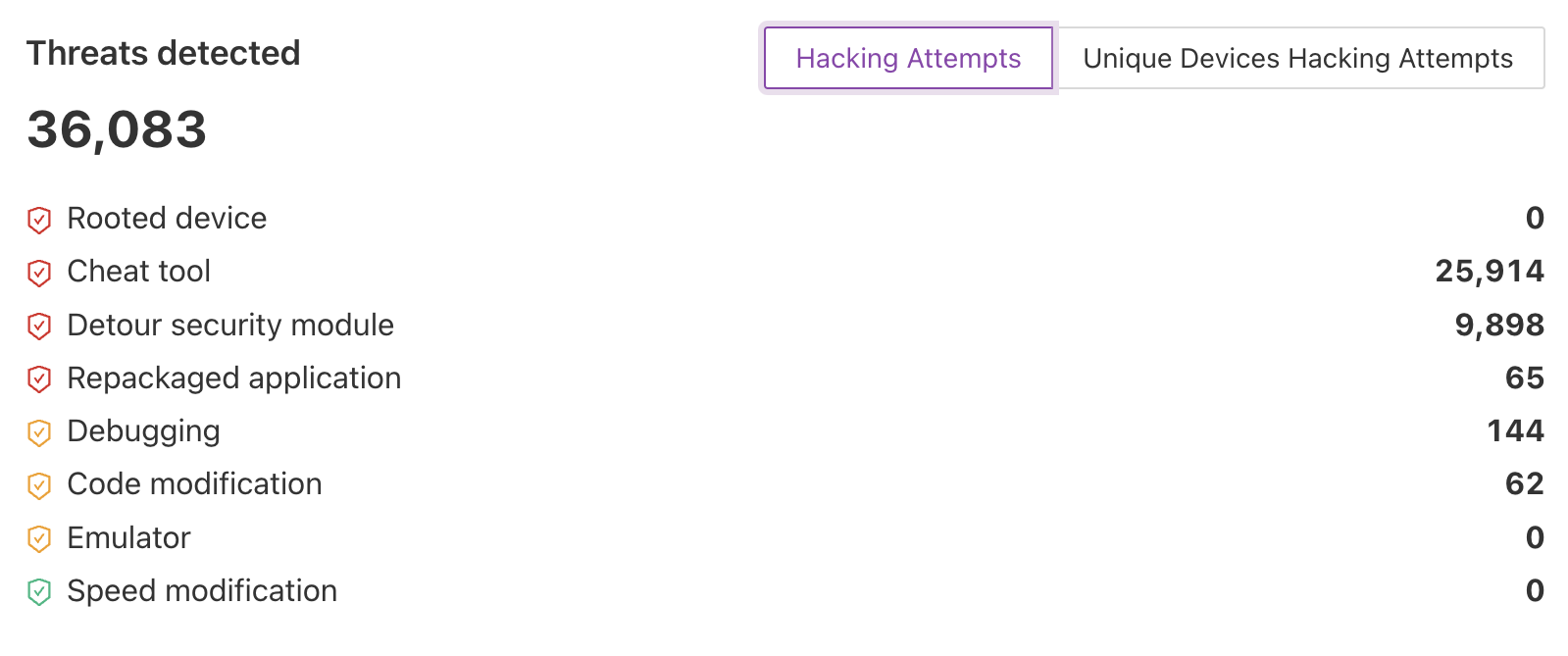
Data is displayed in two catogeries, one provides total number of hacking attempts and second unique devices hacking attempts which can be toggled with tab option available on top. Following is the information related to popular hacking types attackers used to tamper in your application:
- **Rooted Device/Jailbreak** which is process of allowing users of the Android/iOS mobile OS to attain privileged control over various Android/iOS subsystems
- **Cheat Tools** gives you the possibility of bending the rules in your mobile application
- **Detour security module** which can be use for monitoring and instrumention API calls
- **Repackaged application** helps in creating a customized app bundle with all your settings and inputs out of an already packaged app
- **Debugging** enable the hacker to get insight into the application logic which can help in reverse engineering
- **Code modification** is injecting the malicious script to application
- **Emulator** can also help in order to impact the rate of play, extract data, etc.
- **Speed modification** is a game cheating technique where players in a mobile game modify the clock speed
### Threat Types
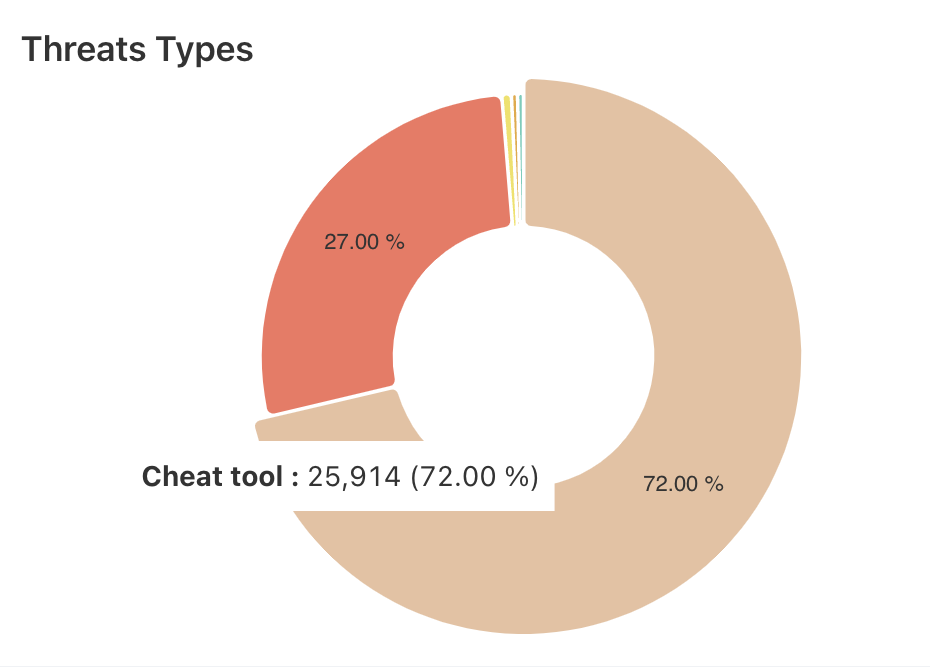
With unique metrics and smart visualizations from Hacking detection overview, you will get all detailed information about security threats for you application. This includes hacking detections overview consist of information of distribution of various types of threats occurred for selected period of time
### Monthly Hacking Information
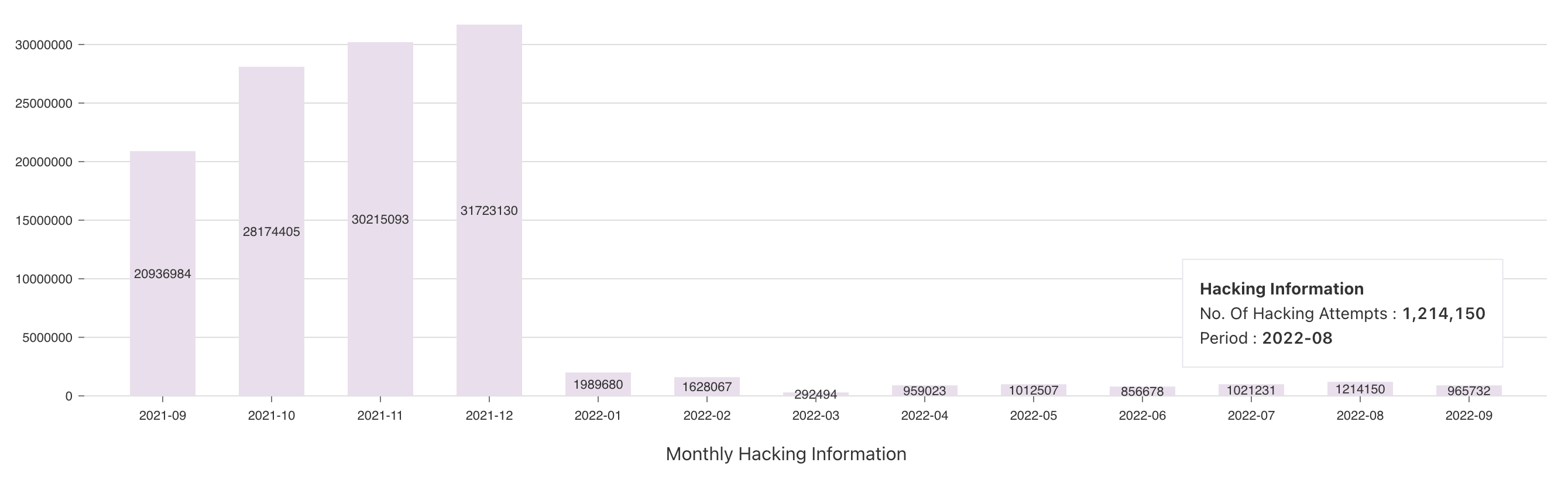
Monthly Hacking Information shows the number of total hacking attempts for each month for past one year, this informs about usage of applications as well as how secure application with DoveRunner Mobile App Security
### Hacking Attempts
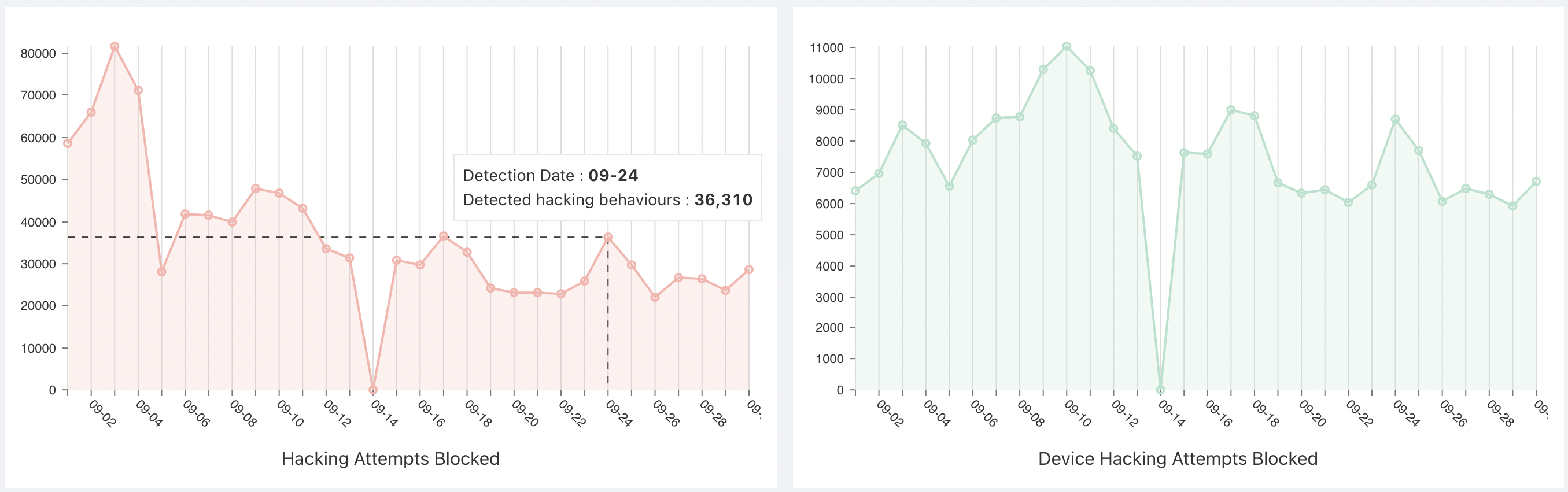
This will shows the overview for total hacking attempts on your application for selected time period. This is segregated with two features as follows:
- **Hacking Attempts Blocked** represents total number of threats detected for your application
- **Device Hacking Attempts Blocked** represents total number of threats detected for unique devices in your application
| Axis | Description |
| :--- | :--- |
| X-Axis | Date for the selected time period as well as previous month period |
| Y-Axis | Represents number of hacking attempts for selected application |
### Hacking Types
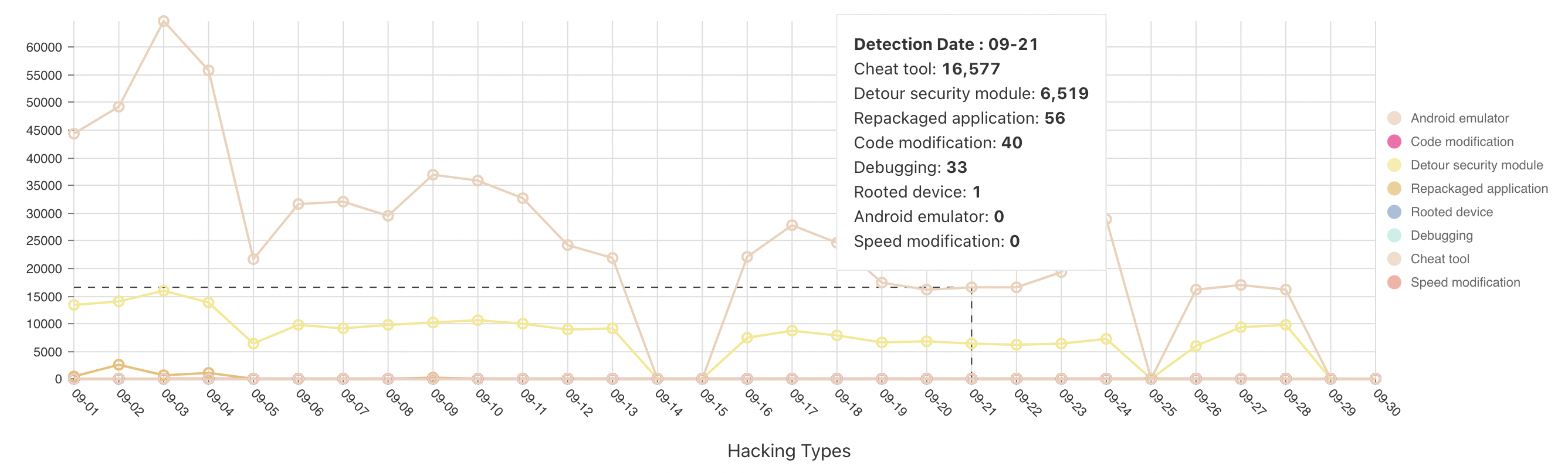
Hacking Type tile represents the identification of vulnerabilities on the application layer (for iOS and Android apps). It represents distribution of hacking attempts for selected time period.
| Axis | Description |
| :--- | :--- |
| X-Axis | Date for the selected time period |
| Y-Axis | Represents number of hacking attempts for selected application |
### Hacking Detections Overview
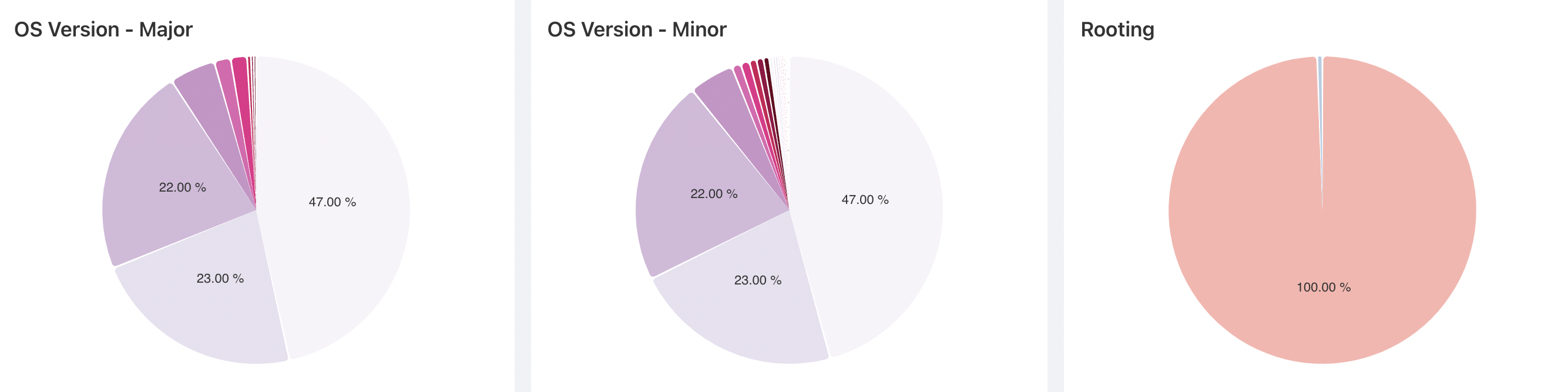
With unique metrics and smart visualizations from Hacking detection overview, you will get all detailed information about security. Each tab inside hacking detections overview consist of information in distributed format for analysis.
This includes
- Operating Systems - Major versions which are targeted for hacking attempts
- Operating Systems - Minor versions which are targeted for hacking attempts
- Rooting/Jailbreak - which contains rooting status for your applications
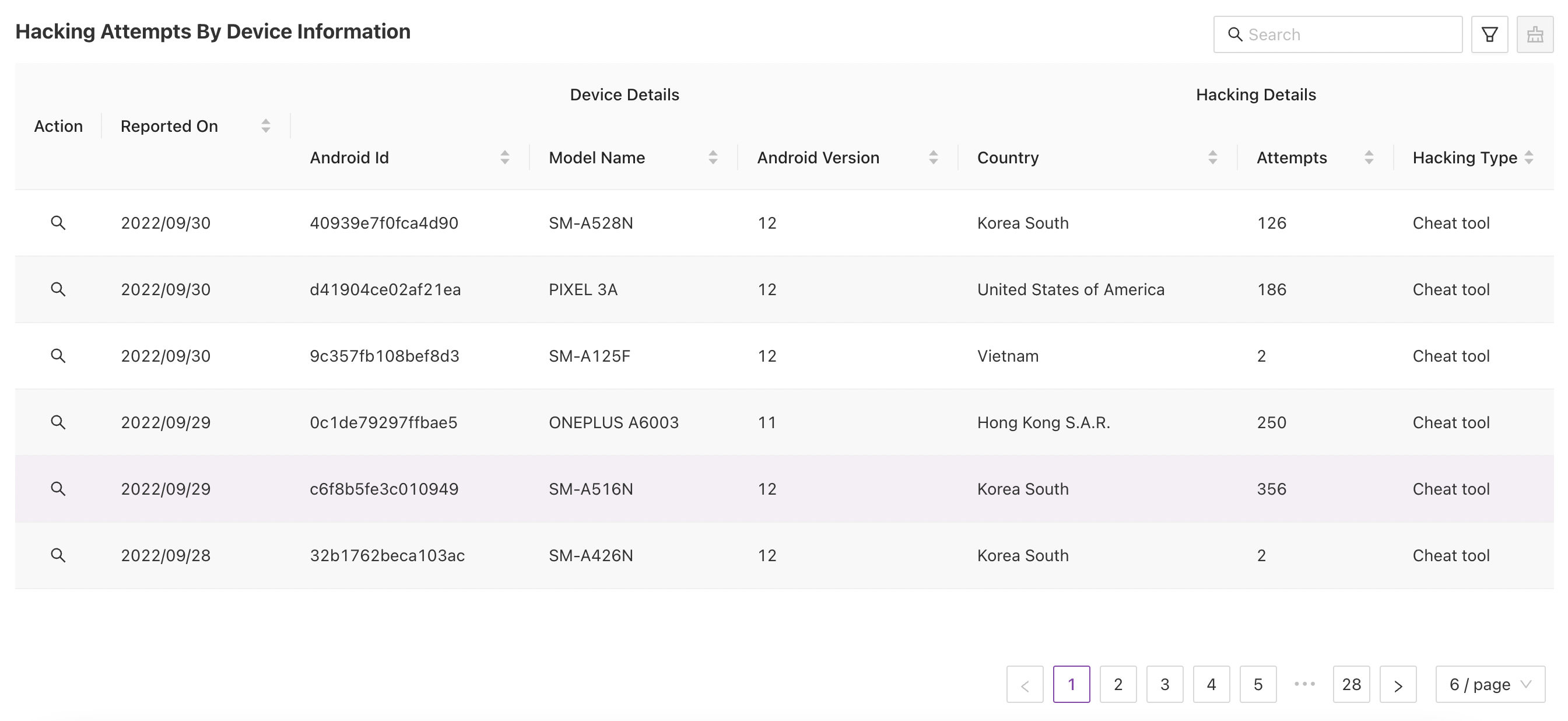
### Hacking Attempts By Device Information
Device Information represents detailed device logs from which threats are reported. You can drill down the result set by specifying filters using search bar or using advanced filters. This result set contains useful information such as following:
- Time on which threats are reported
- Device Details on which hacking attempts are made
- Android ID / UUID of user's device
- Device Model Name
- Operating System version for the device
- Hacking Details
- Country from where attempts are made
- Number of Hacking Attempts
- Hacking Type
### Hacking Attempts By Map Overlay
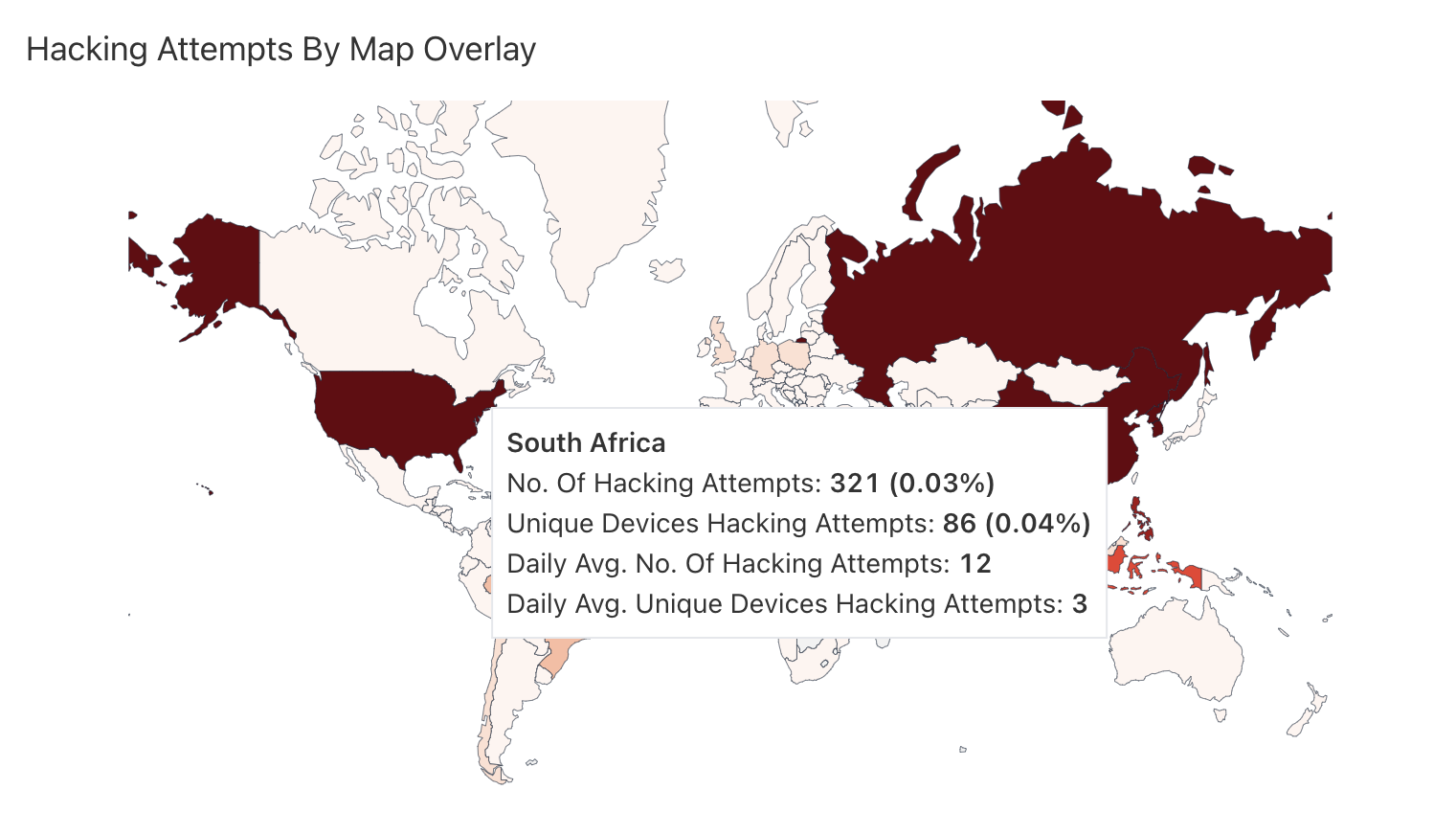
Hacking Detections By Map Overlay allows you to view the real time geographic representation of hacking attempted on your application with their hacking information overlaid for selected time. It shows where hacking attempts are coming from with Map overview. Countries are highlighted from light to dark shade based on the number of attempts, higher the number darker shade for the country.
On hover over the countries in map you will find number of Hacking Attempts for that country over selected time period.
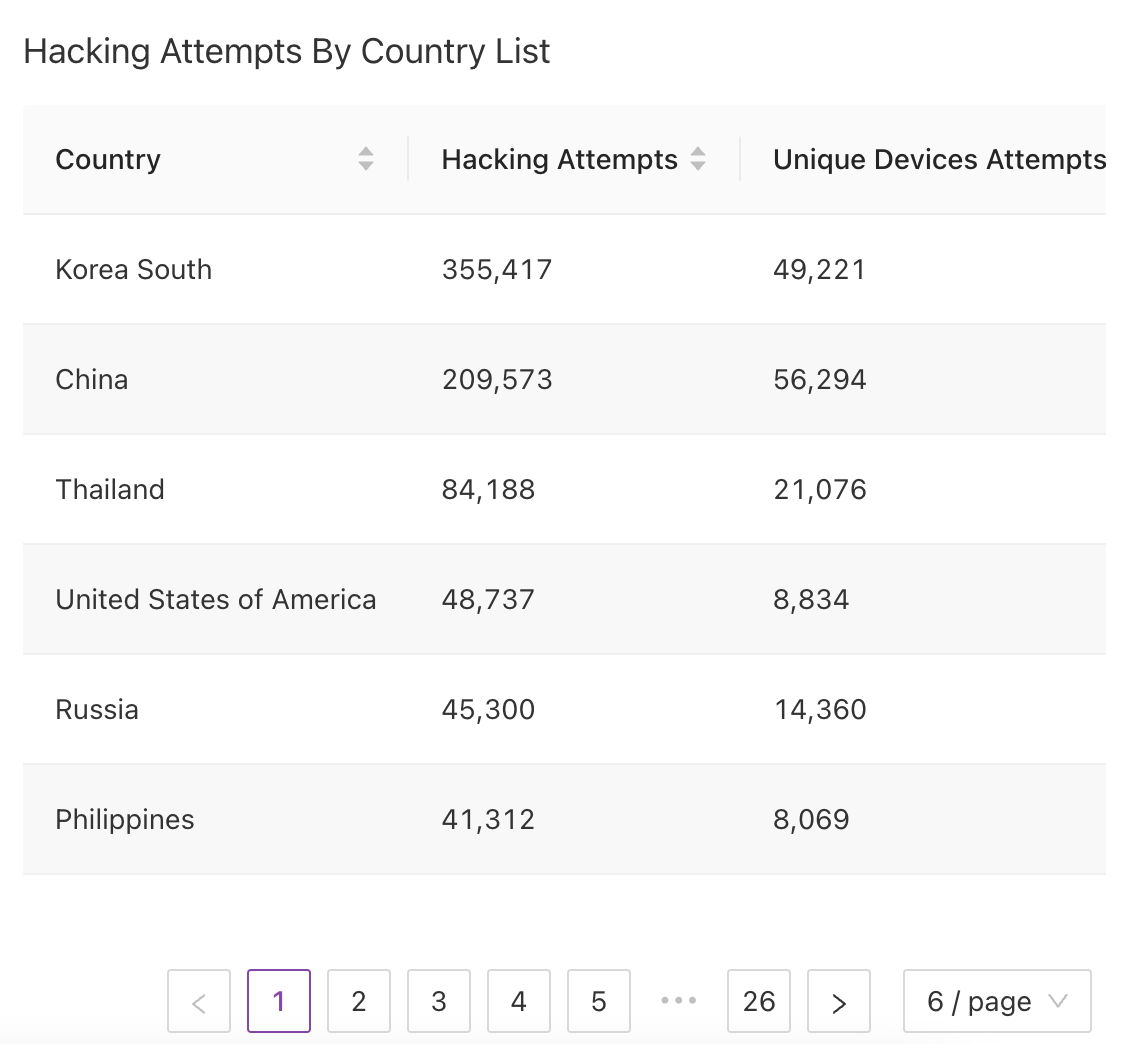
### Hacking Attempts By Country List
This matrix represents hacking information such as hacking attempts and unique device attempts corresponding with the Country. Data displayed for the countries on basis of number of hacking attempts tried on the device