---
title: "iOS App Security"
description: "Apply DoveRunner Mobile App Security to your iOS app using the SDK-based integration."
---
> For the complete documentation index, see [llms.txt](/llms.txt).
import { Aside, Steps, LinkCard, CardGrid } from '@astrojs/starlight/components';
DoveRunner Mobile App Security for iOS uses an SDK-based approach. You create a project in the Developer Console, download the generated SDK, and integrate it into your build pipeline — no code changes required.
## Guides
---
## Applying DoveRunner Mobile App Security
### Prerequisites
Before creating a project, have the following ready:
- **Bundle ID** — Your app's Bundle ID (e.g. `com.example.myapp`). This is set at project creation and cannot be changed later.
- **Framework** — The framework your app is built with. For React Native, know the exact version used.
### Create a Project
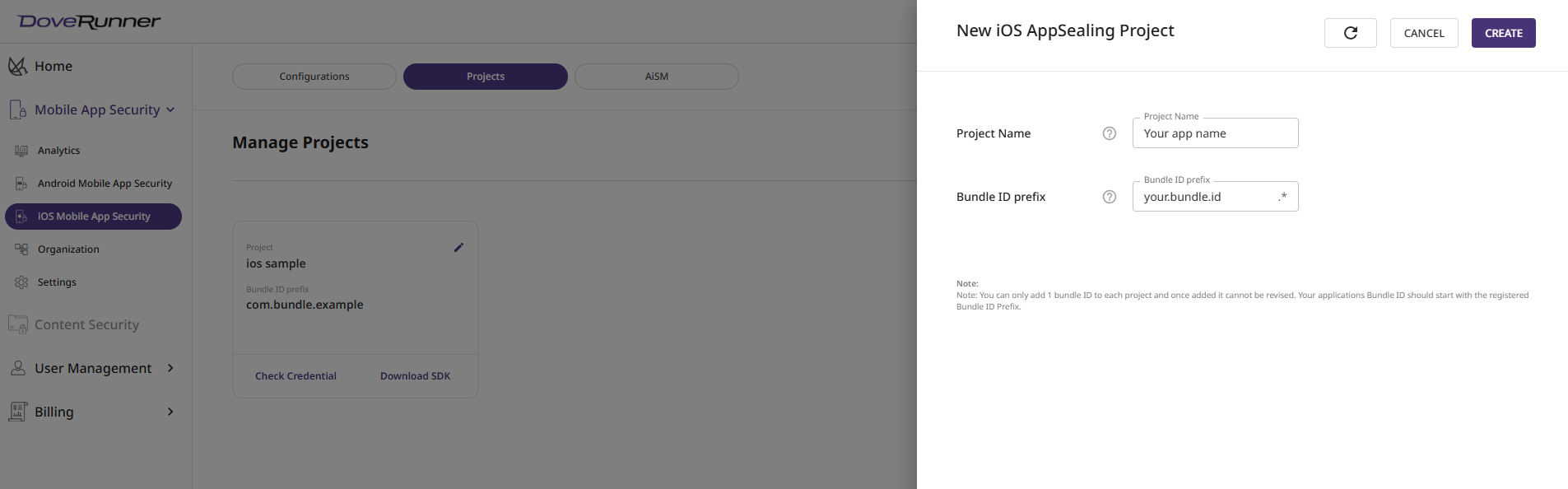
1. In the Developer Console, navigate to **iOS DoveRunner Mobile App Security** → **Manage Projects**.
2. Click **+ Create New Project** to open the creation form.
3. Enter a project name and your app's **Bundle ID prefix**.
4. Click **Create Project**. The system validates the Bundle ID and creates the project if the details are correct.
### Download SDK
1. In **Manage Projects**, find the project you want to generate an SDK for.
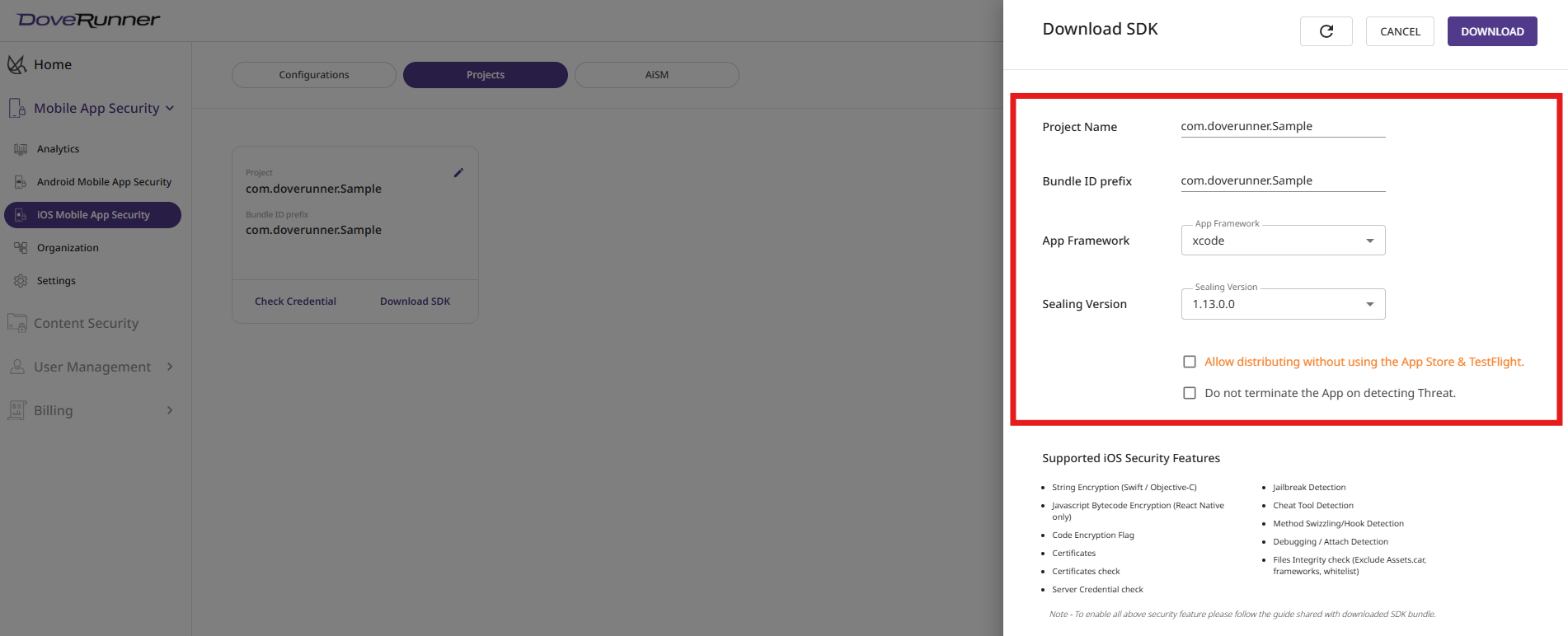
2. Click **Download SDK** to open the download options.
3. Select values from the dropdowns:
| Field | Description |
| :---- | :---------- |
| App Framework | The framework used to develop your iOS app. Supports native and hybrid frameworks. |
| Sealing Version | The version of DoveRunner protection to apply. Use the latest version for the newest security features. |
| Framework Version | Required for React Native only. Enter the React Native version used in your project. |
4. Click **Download**. The system validates the project and begins building the SDK. It downloads automatically when ready.
#### Optional Settings
| Option | Description |
| :----- | :---------- |
| Allow distributing without App Store & TestFlight | Disables Apple certificate integrity validation. Enable this if your app is distributed outside the App Store or TestFlight (e.g. enterprise distribution). |
| Do not terminate the app on detecting a threat | Instead of force-closing the app on detection, the SDK exposes detection flags you can use to implement custom responses. Activated after a successful `generate_hash` run on the built IPA. |
---
## App Configurations
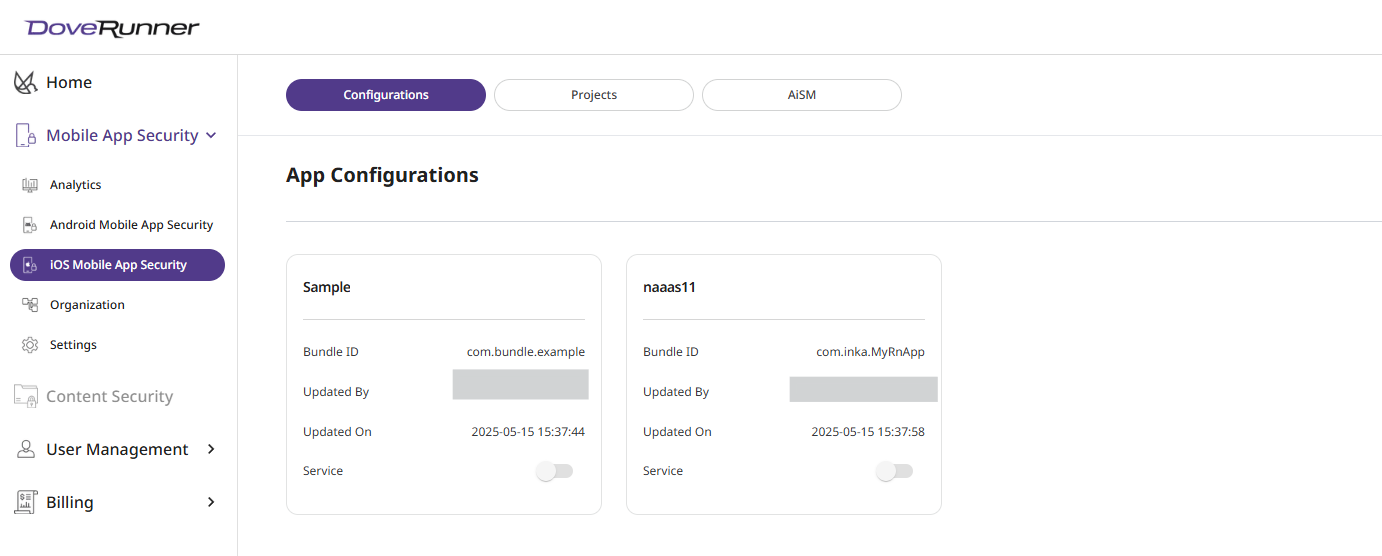
App Configurations lets you manage service settings for your sealed iOS apps. The list shows apps sealed by you or your team members.
**Service**
Controls whether DoveRunner Mobile App Security tracks hacking activity for the app. Usage-based charges apply while the service is active. Turn it off here if you are no longer using the app or want to stop protection.
---
## Next Steps
After downloading the SDK, integrate it into your build pipeline and run `generate_hash` to complete the sealing process.